
Inventory IQ
is an internal inventory counting system designed to streamline cycle counting workflows, where operators regularly verify inventory quantities across production lines. The system improved real-time data entry, discrepancy tracking, and visibility across operations.
Draggable
My Role
Click to expand for more details
Sole Product Designer
As the sole product designer, I led the end to end design of an internal inventory counting system used by production operators and supervisors.
Cross Functional Teams Collaboration
I collaborated closely with software and data engineering teams to define workflow architecture, simplify operational processes, and design scalable interfaces for real-time discrepancy tracking and review.
Problem
Operators rely on customized Excel sheets to collect and manage machine data, resulting in inconsistent data, limited visibility, and high operational effort.
Slow and inaccurate inventory discrepancy detection delayed corrective actions, contributing to an estimated $500K in annual production losses.
Solution Vision
Design a centralized real-time inventory system that catches input errors at the point of entry, calculates average discrepancy rates across cycle counts to monitor performance, and surfaces historical trends to support long-term operational analysis.
Project Constraints
Click to expand for more details
📊 Real-Time Data Wasn't Possible
With data flowing from 3+ manufacturing systems, true real-time accuracy was not achievable. Because cycle counts took several minutes to complete, the system relied on timestamped validation by capturing data at the moment of entry and comparing it against current system values.
💰 Full Data Exports Were Too Costly
Management raised concerns about large data export costs. The solution was adapted to export only essential process data, while detailed historical counts remained accessible within the application.
🔎 Focused On Core Workflow First
Analytics features including trend detection and recurring discrepancy insights, were intentionally deferred to keep the initial release focused on core workflow.
Discover
To better understand the process from user perspective, I decided to observe 3 operators.
Observations (Field Study)
Operators either recorded machine readings later on paper entry or manually entered data directly into spreadsheet on the production floor.
Operators often paused counting workflows to respond to other production requests.
Interviews
Operators described inconsistent counting workflows, revealing no standardized process across teams.
The most common frustration was losing track of progress after interruptions mid-count.
Delays were frequently caused by switching between tools and waiting on other operators to complete counts.
Most operators had no reliable way to detect errors until they were later flagged by supervisors.
Workflow Analysis
Users referenced multiple Excel sheets to locate the correct fields and input locations.
Count data was manually transferred between spreadsheets and written notes.
Workflow execution varied significantly by operator, including direct laptop entry and handwritten note-taking.


Key Insights
Through discovery stage, I identified 4 key insights.
👷
Workflows vary by operator, not by system
No standardized process existed. Some operators entered data in real time, while others relied on handwritten notes or memory, leading to inconsistent results across the same workflow.
🕓
Accuracy drops when data entry is delayed
Operational interruptions often delayed count entry, increasing reliance on recall-based input and introducing mistakes across 12–14 manufacturing lines.
🚨
Errors go unnoticed at the point of entry
Without input validation, operators had no reliable way to detect mistakes until results were reviewed after the counting process.
⚠️
Issue detection happens too late
Input errors became difficult to trace and correct once operators moved on to other tasks.
Collaboration
Inventory IQ made possible through close collaboration across stakeholders, software and data engineering teams.

Feature Priority Alignment
I worked closely with stakeholders, software and data engineering teams through weekly syncs to prioritize project scope, and ensure feasibility that could be built and tested internally.

Collaborative Design Process
Frequently collaborated with software engineers to review the progress and refine interactions, and maintain design across implementation.

Business Stakeholder Collaboration
Partnered with inventory teams to validate workflows, ensure process accuracy, and refine the experience based on operational feedback.
Design Principles
The key insights and collaborating with cross-functional teams led to core design principles that guided design decisions throughout the project.
1
Design around data accuracy, not live data
True real-time synchronization was not achievable across 3+ manufacturing systems. Instead, the system relied on timestamped validation to provide reliable inventory data despite system latency.
2
Extend the system beyond task completion
Cycle counts were only one part of the operational picture. Historical tracking enabled teams to identify recurring discrepancies and monitor long-term performance trends.
3
Improve visibility across the workflow
Supervisors previously had to wait until all cycle counts were completed before reviewing results. Submitting each count individually gave them earlier visibility into discrepancies throughout the counting process.
4
Create a guided counting experience
Operators lacked a consistent workflow. A guided process reduces reliance on individual habits and ensures counts are completed consistently across teams.
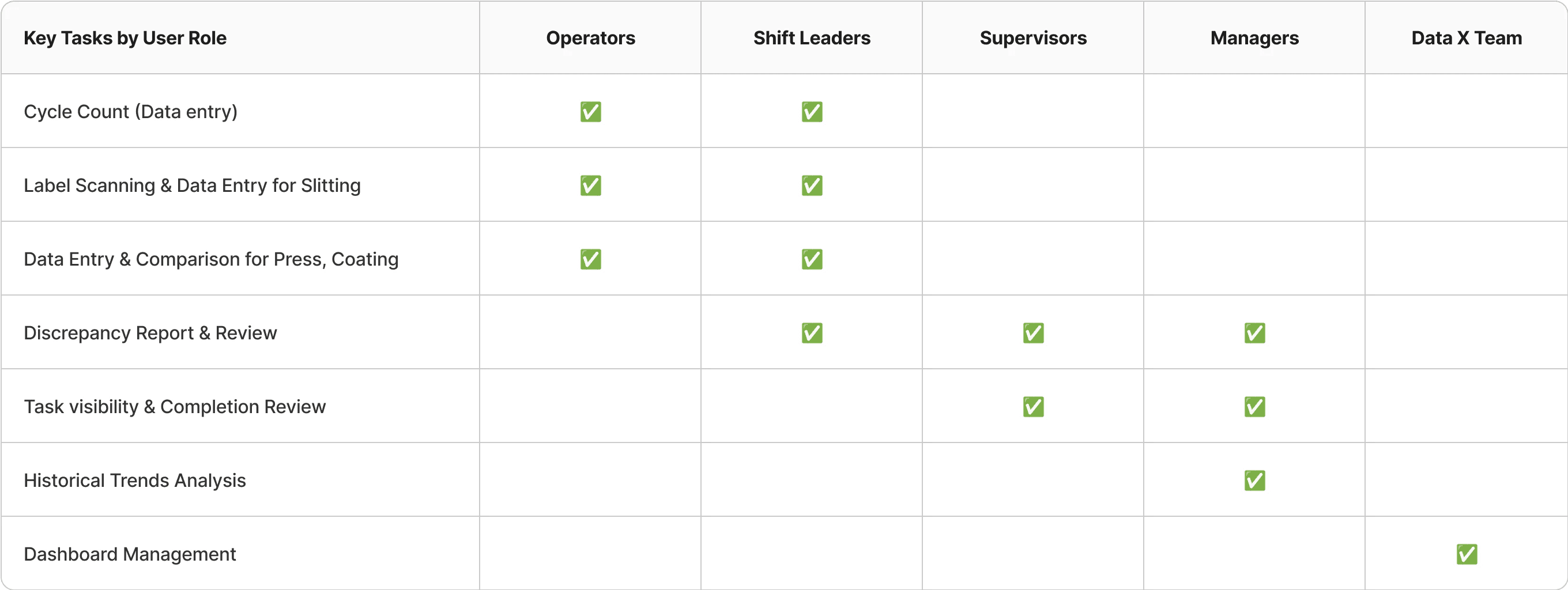
User Roles
Click to expand for more details
Operators
Primary users of the counting workflow, responsible for perform cycle counts on the production floor. And entering inventory data across 12+ manufacturing lines.
Shift Leaders
Monitor counting progress, completion rates, and team accountability without directly performing counts.
Supervisors
Review and resolve discrepancies between physical and system inventory when submitted counts do not match expected values.
Managers
Analyze historical count data to identify recurring discrepancies and operational trends over time.
Data X Team
Manage system integrations, configurations, and data reliability across manufacturing systems.
Design Process
Information Architecture
The system was organized around two core workflows: cycle counting and discrepancy review. Defining the structure early helped align software and data teams on the project scope before design began.

Draggable
Userflows
Mapped the counting workflow end-to-end to identify unnecessary steps and role handoffs. This helped simplify the process, reduce operational friction, and define the minimum number of screens required.


Draggable
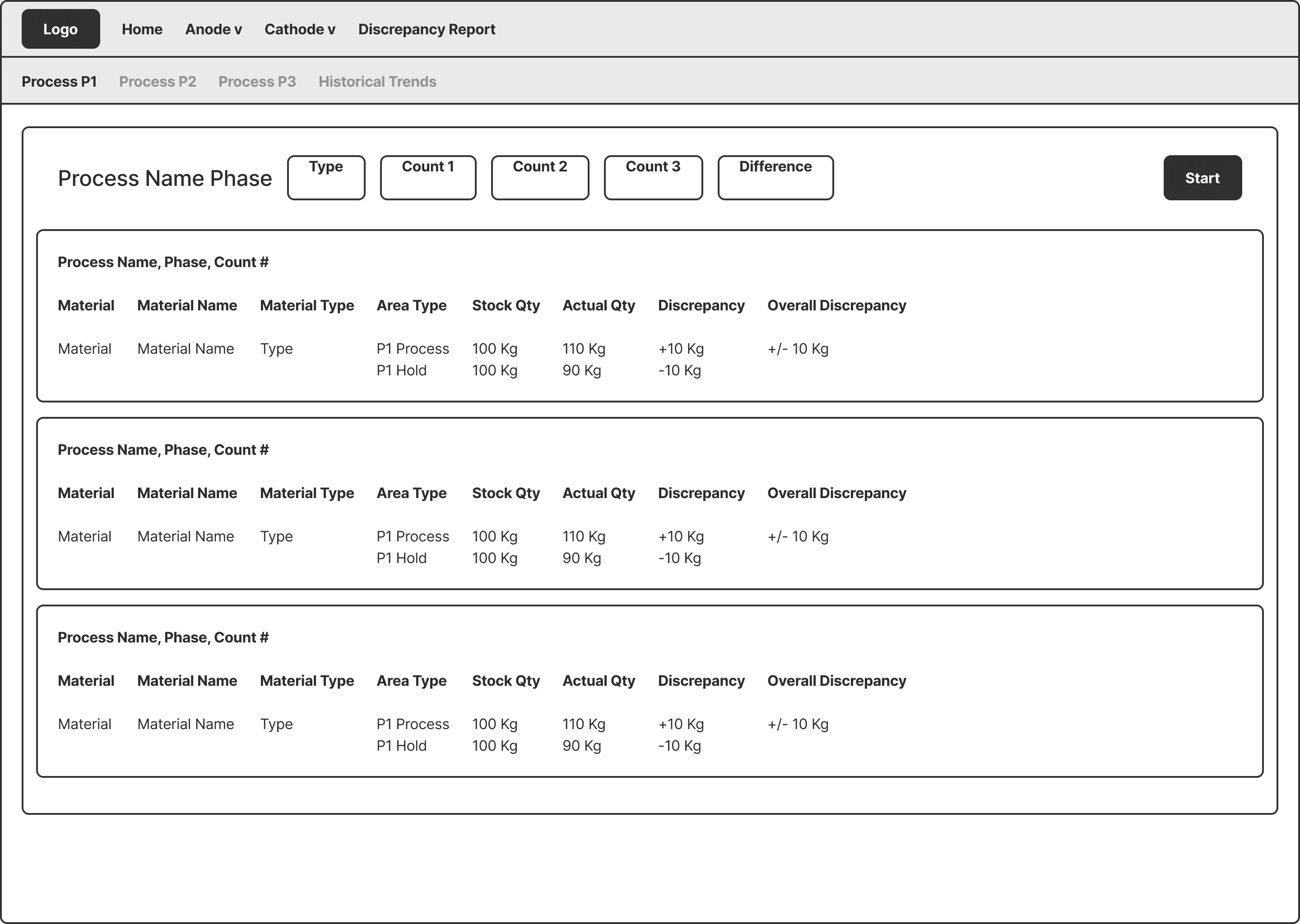
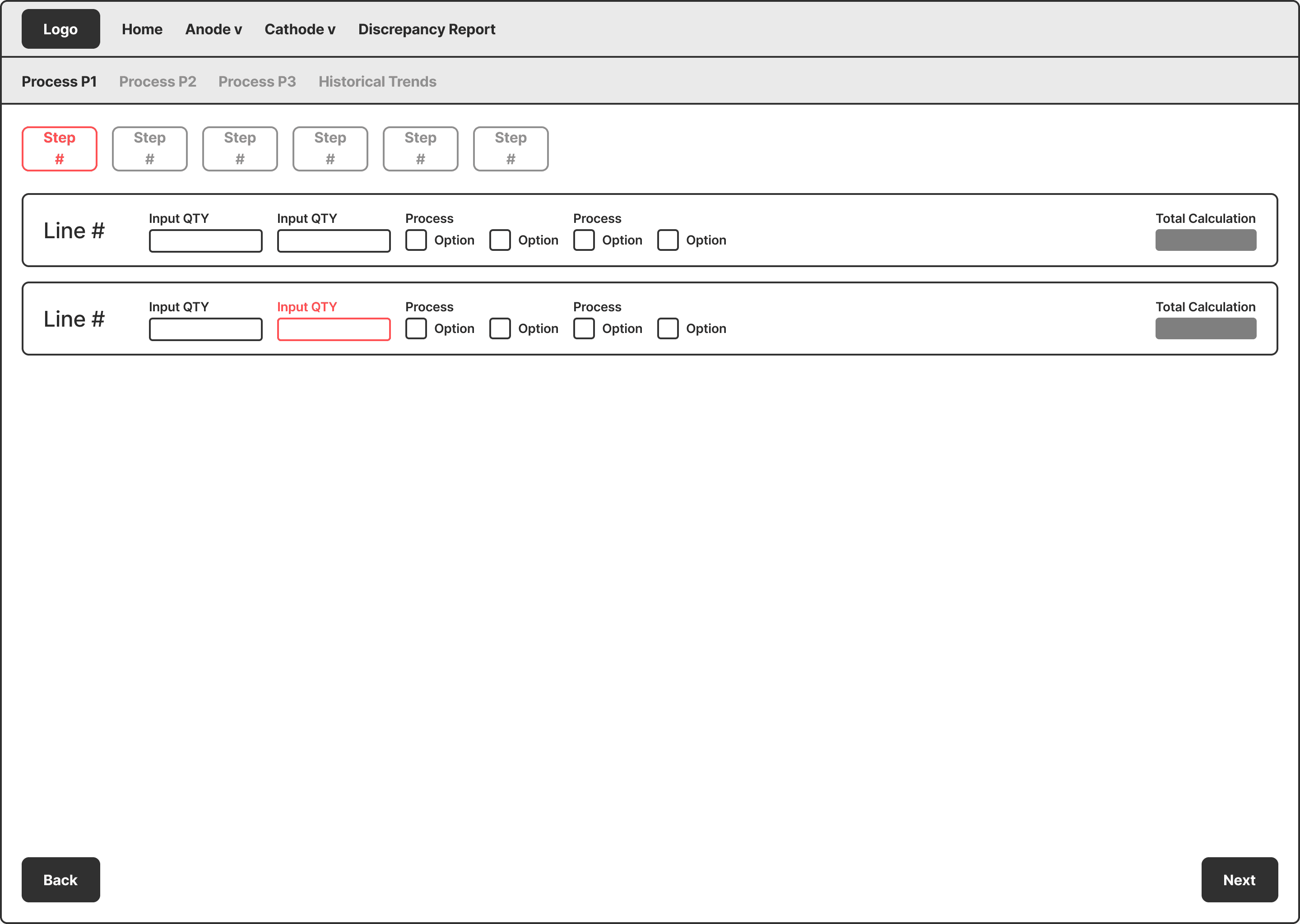
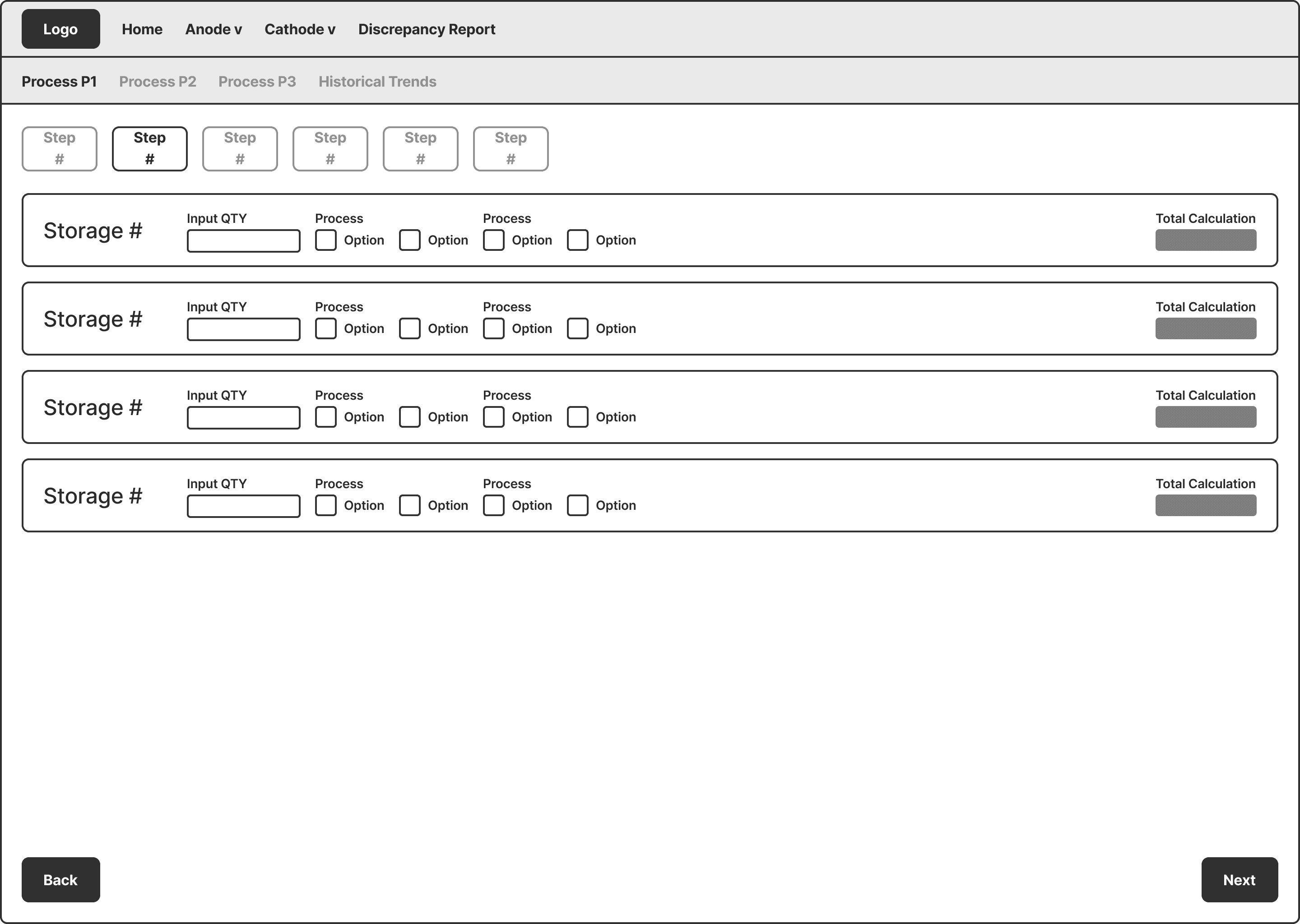
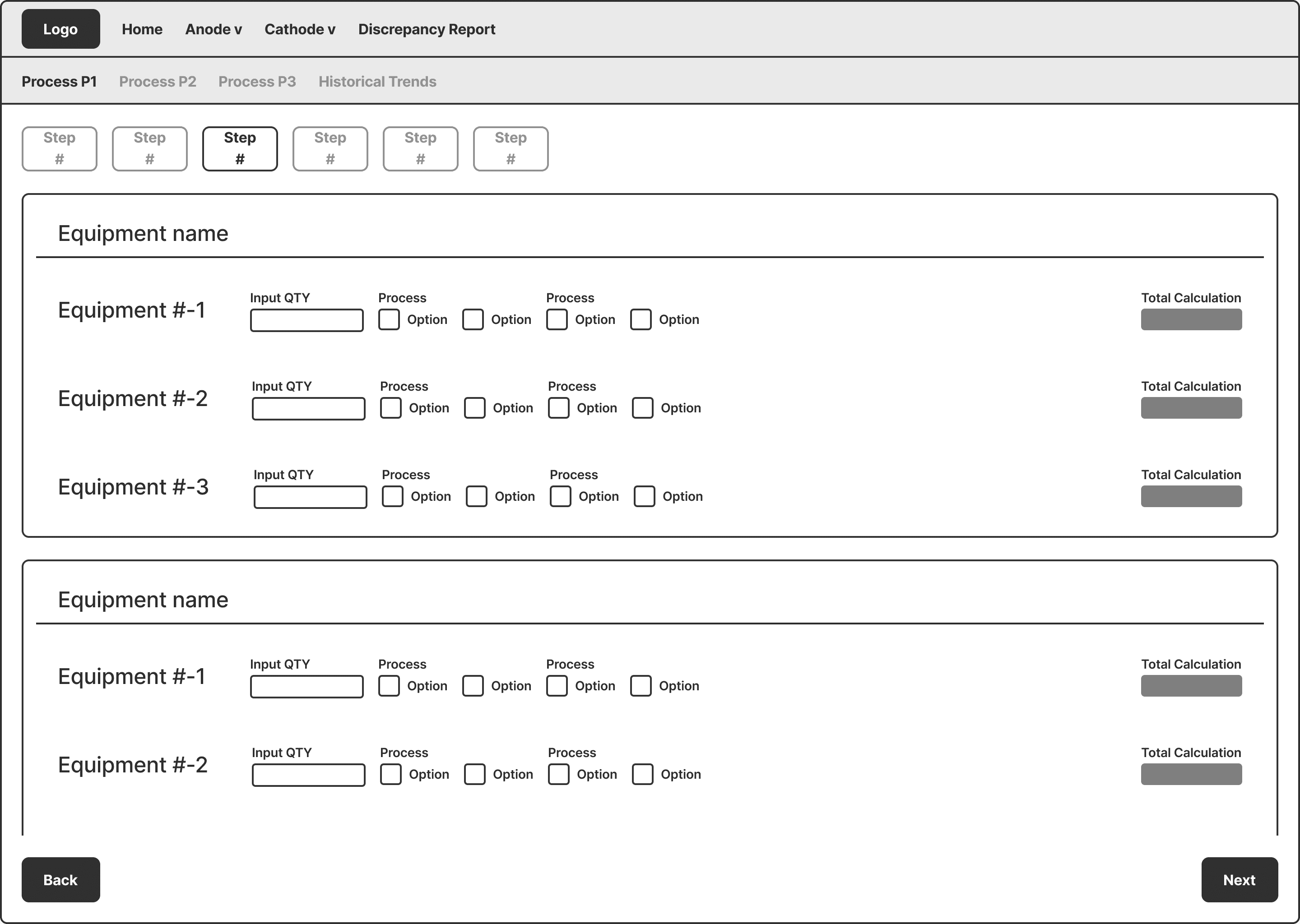
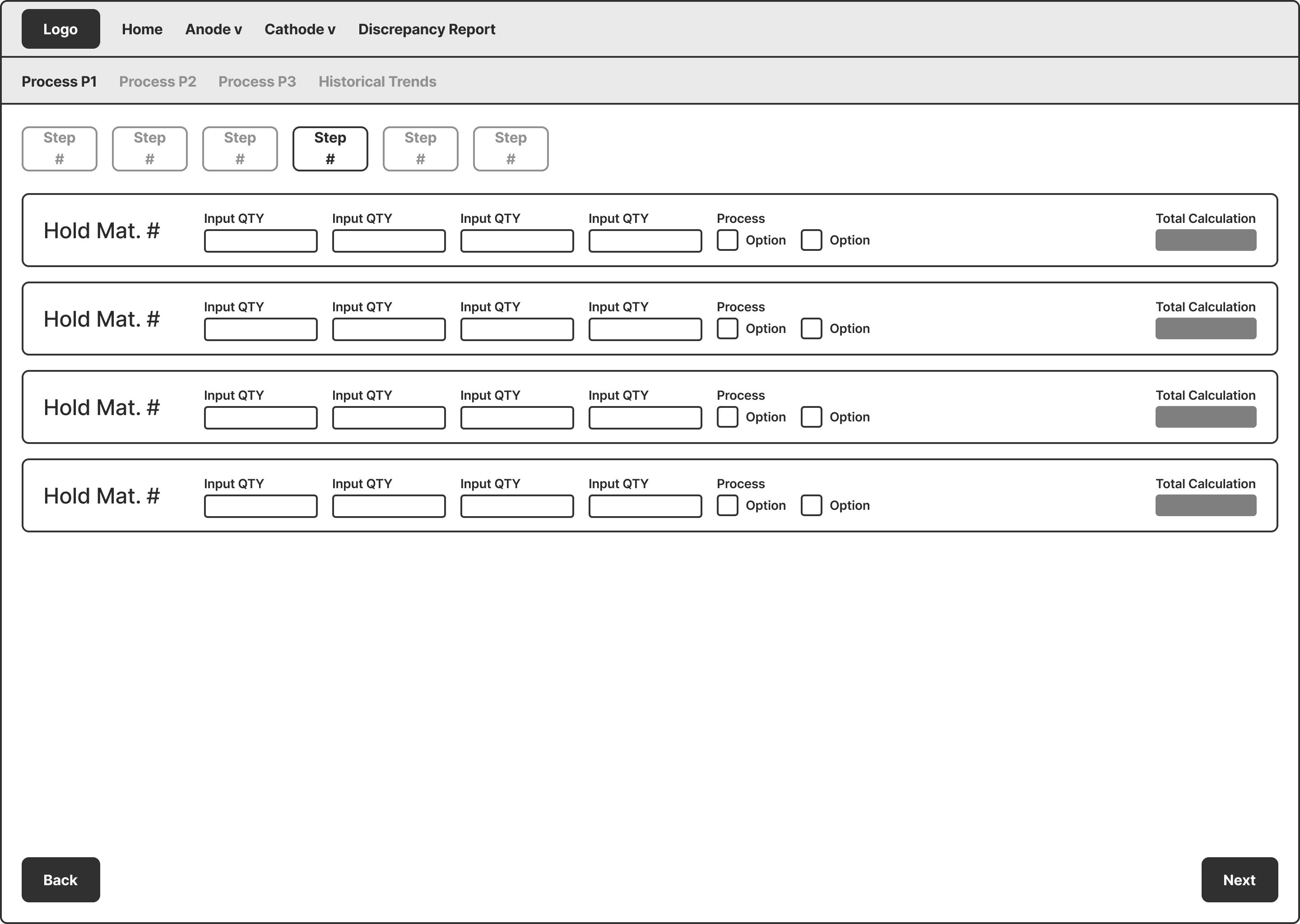
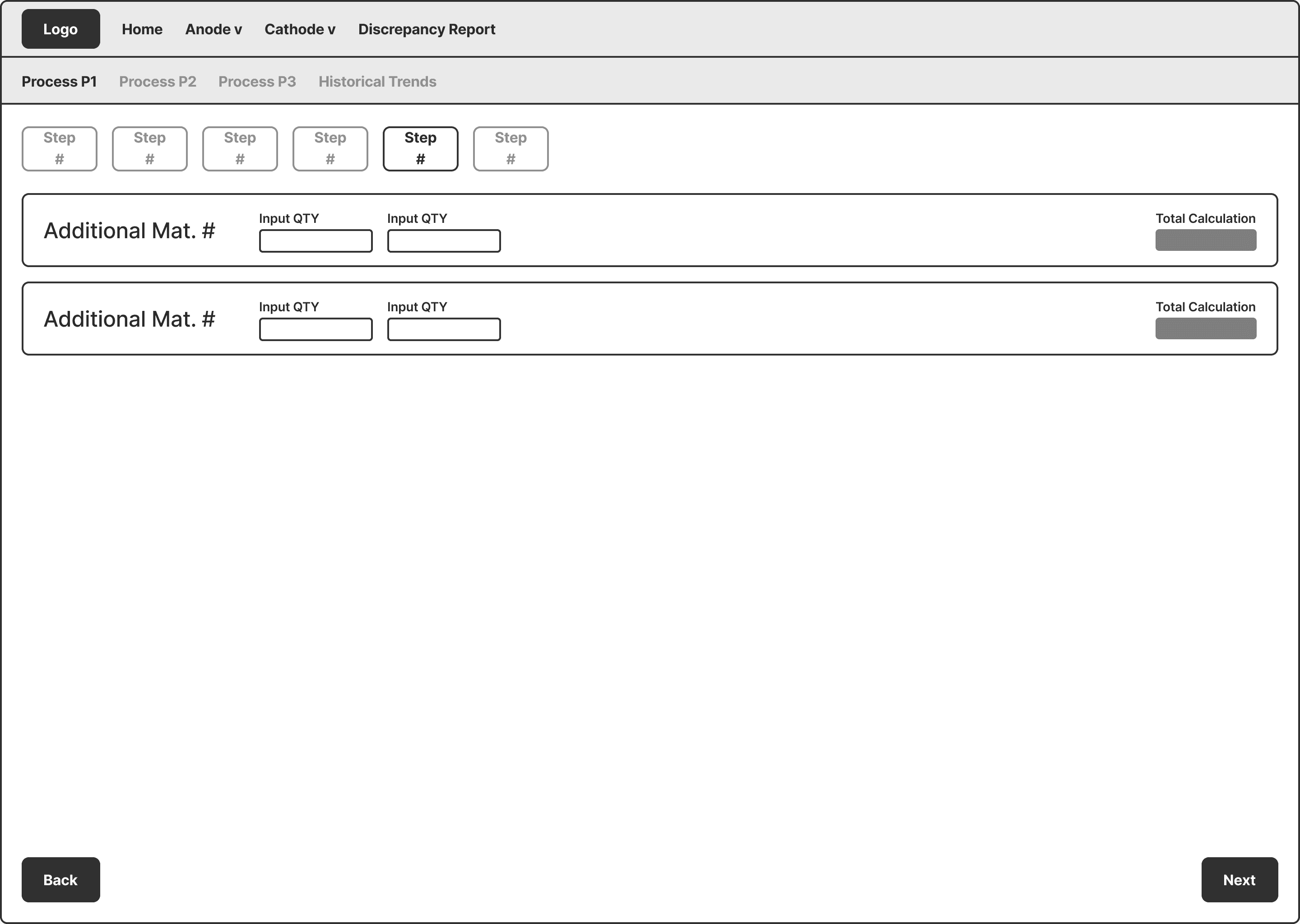
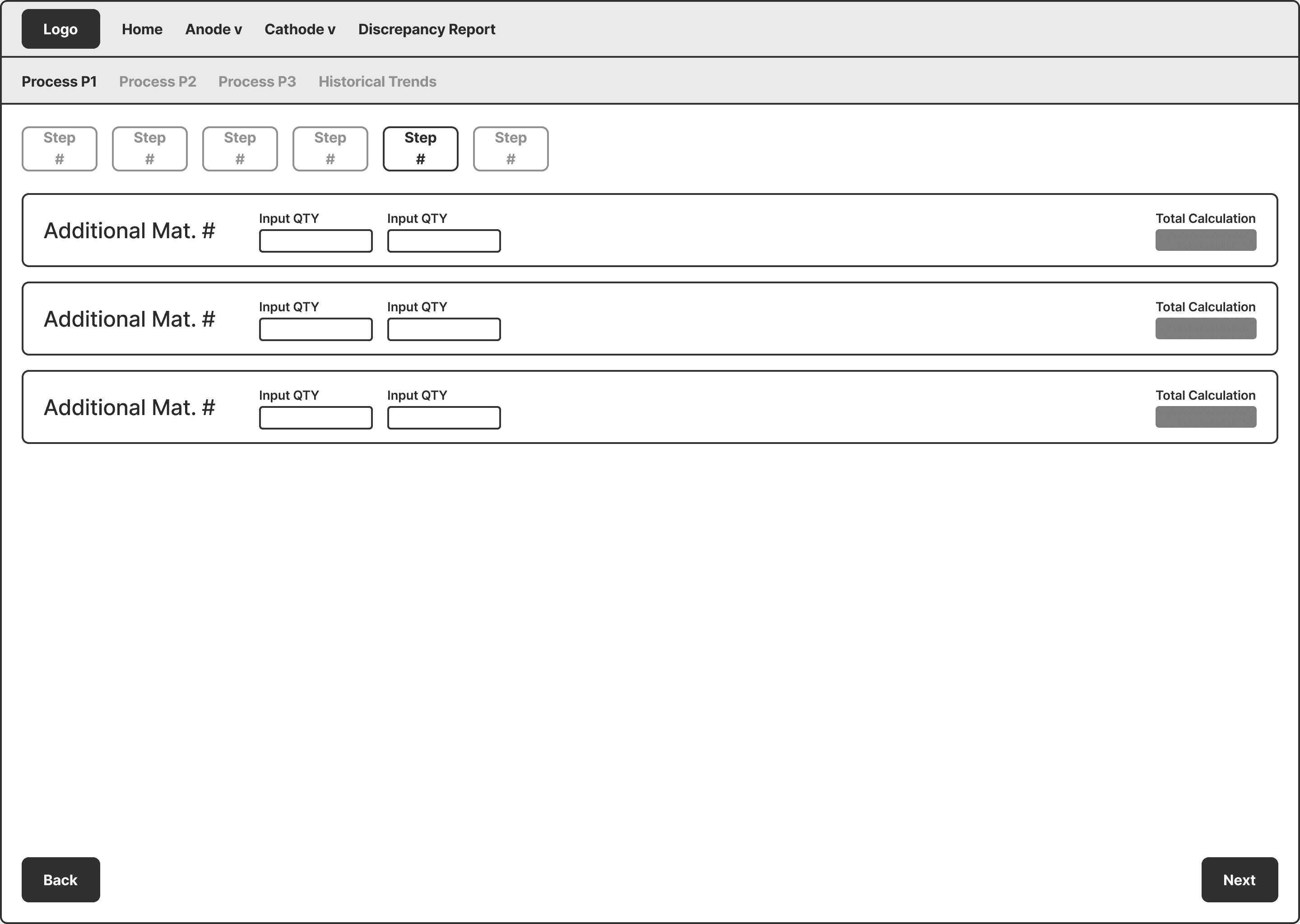
Wireframes
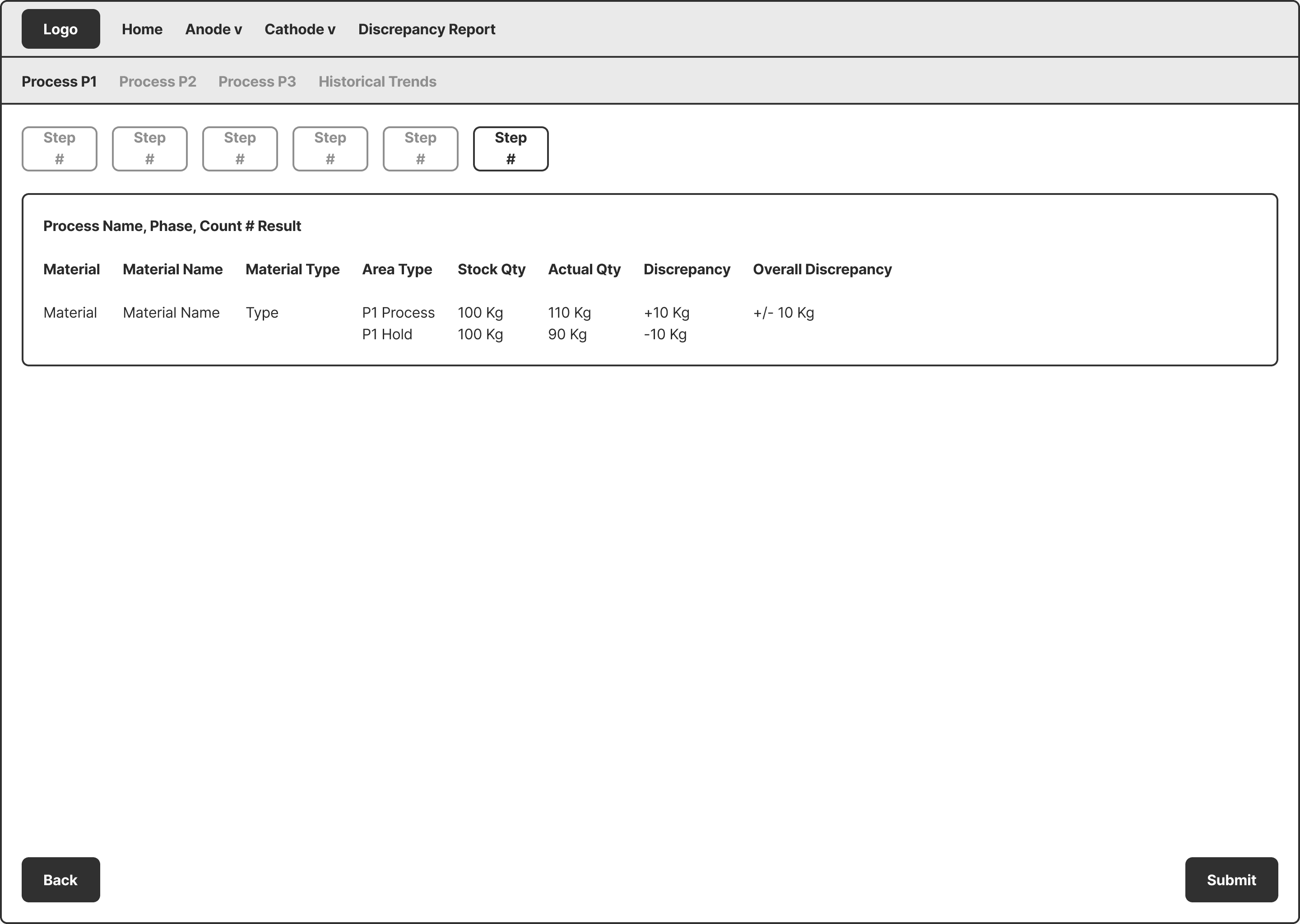
Built to validate the structure and sequencing of the counting workflow with real operators before moving into high-fidelity design. Early testing helped avoid investing in detailed UI patterns before the workflow was finalized. Because each process followed a different data structure, separate wireframes were created to validate layout patterns and input logic across workflows.
Draggable
Iteration Methods
Click to expand for more details
Usability Testing
- Operators frequently backtracked between steps to verify previously entered information. - Page transitions interrupted the counting rhythm, especially during active entry. - Testing showed the primary friction came from navigation, not data entry.
Time-on-Task Comparison
Completion time was measured during testing to evaluate workflow efficiency. - Step-by-step navigation increased task completion time. - Repeated back-and-forth navigation introduced unnecessary delays. - Interruptions during navigation slowed overall input flow.
Stakeholder Feedback Loops
Stakeholders initially wanted to preserve the original step-by-step flow to avoid retraining 40+ operators. Testing data demonstrated faster completion times and fewer errors with the revised workflow, leading to alignment on the updated design direction.
Userflows
Before
Repeated loops and validation steps created unnecessary navigation throughout the workflow.
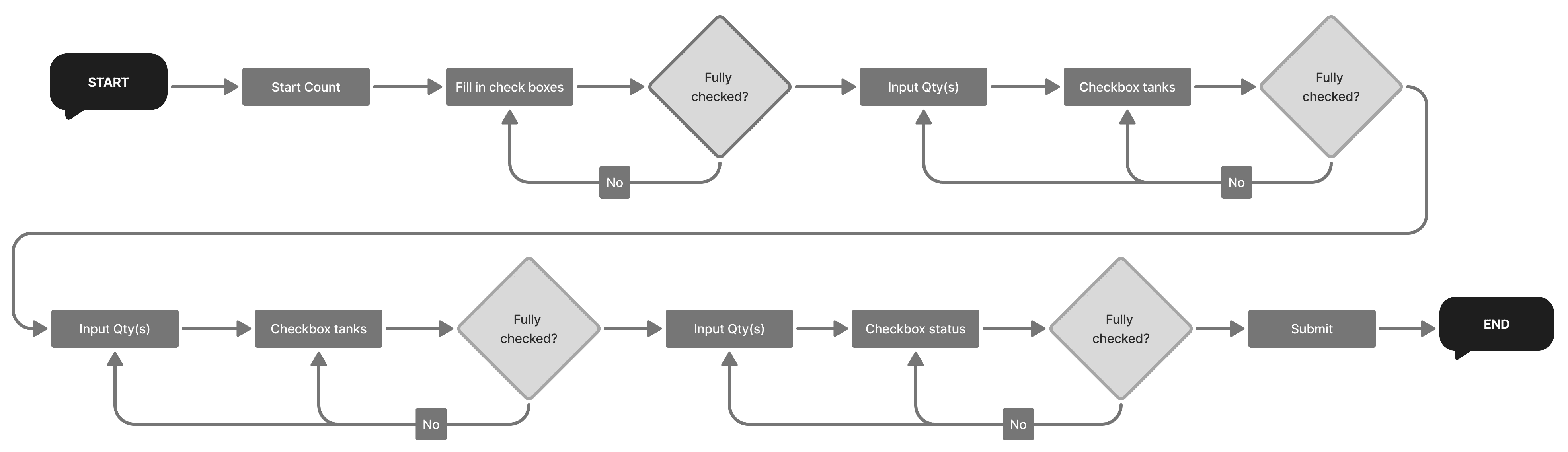
After
Reduced decision points and eliminated repeated loops, shortening the path from start to submission.

Wireframes
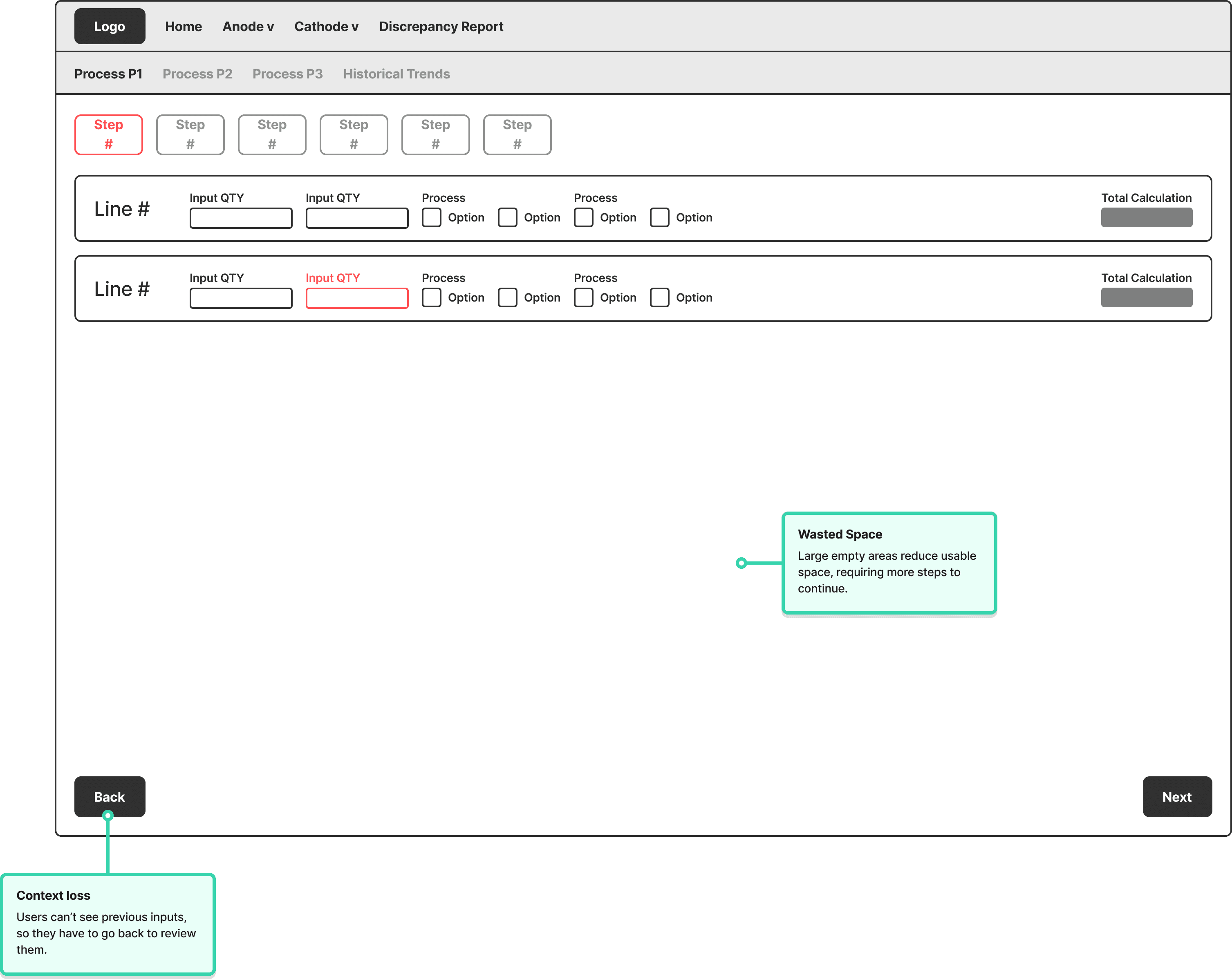
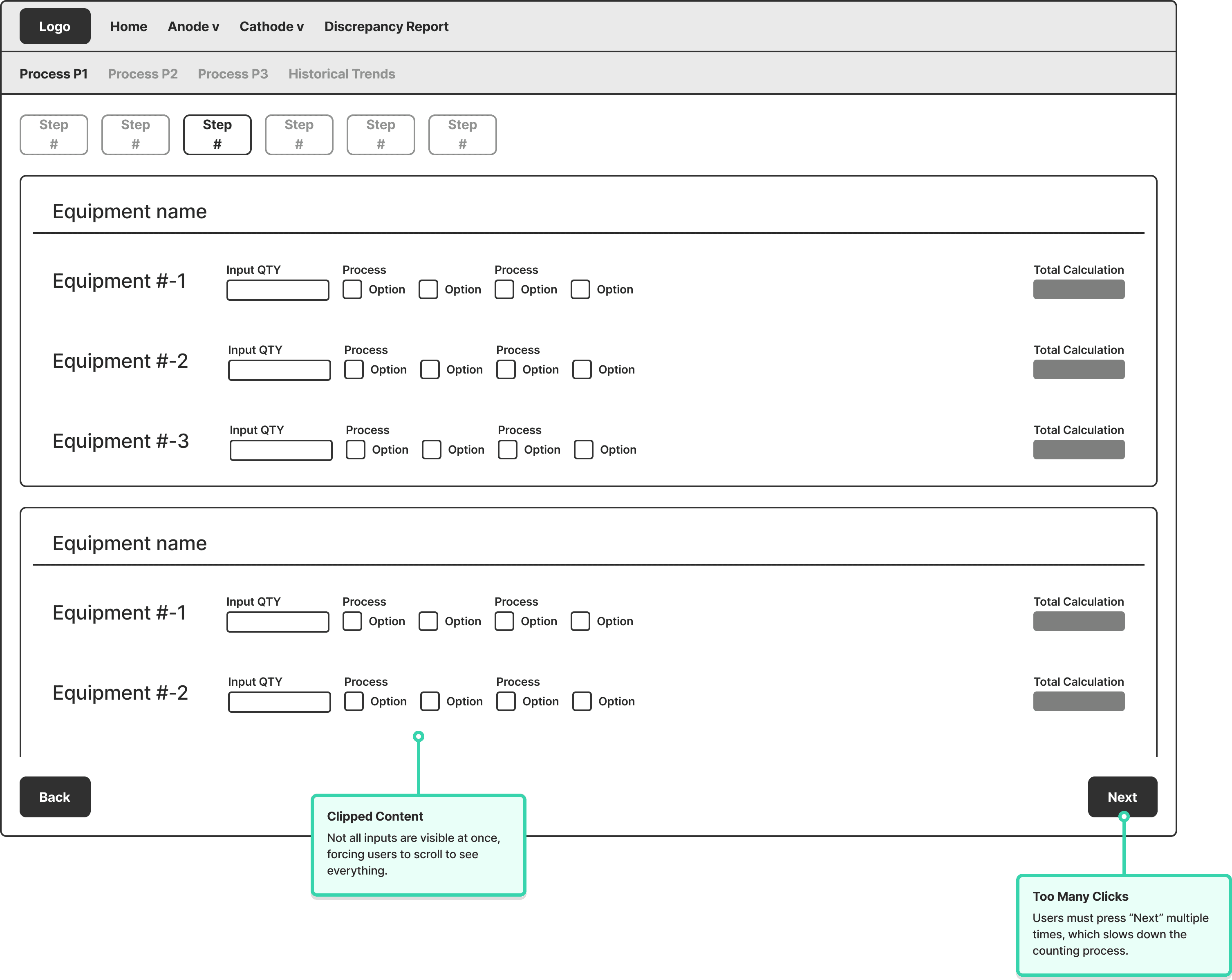
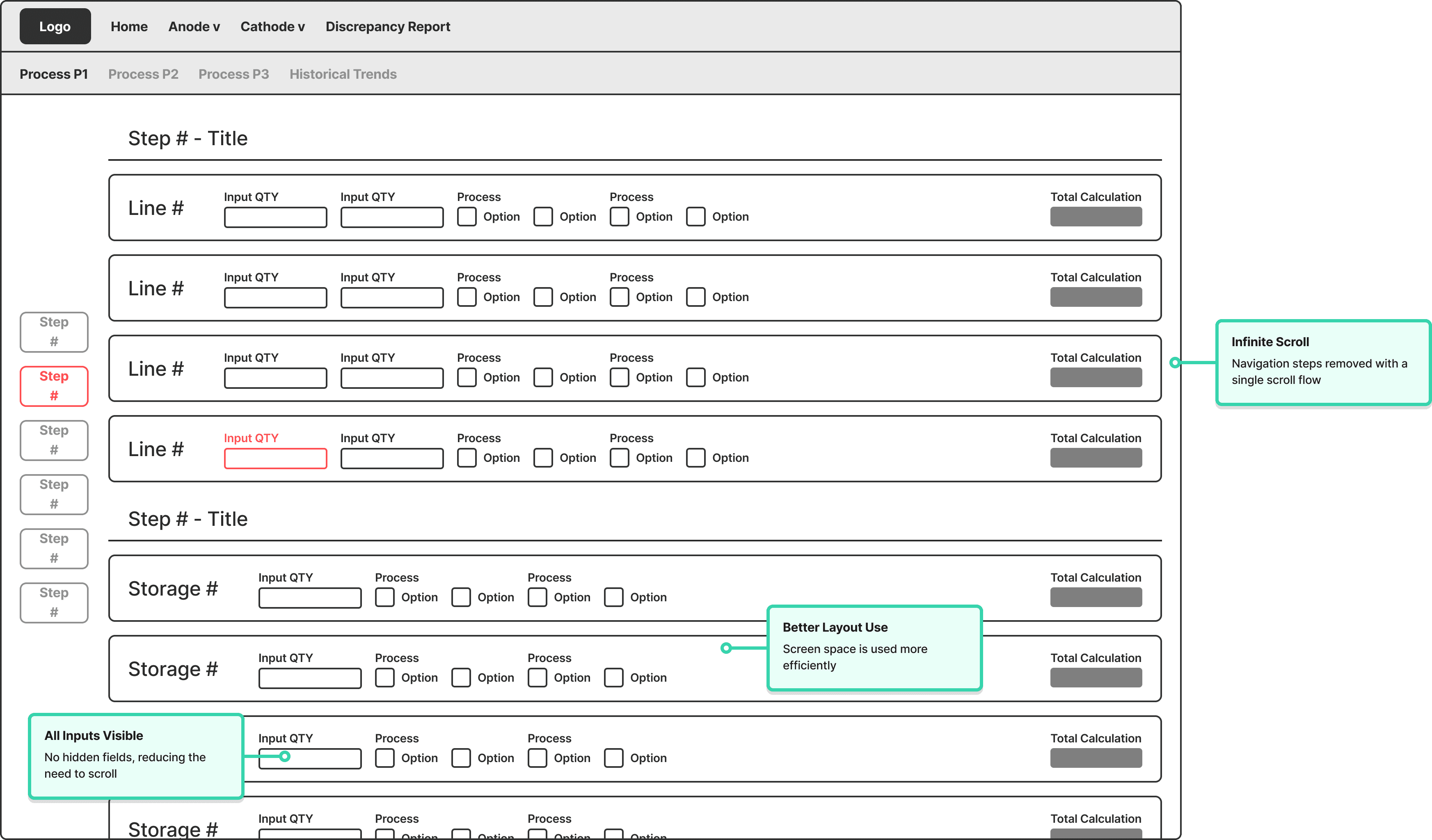
Before
Two separate pages, each with unused screen real estate and no visibility into previous inputs.
After
Consolidated into one continuous scroll, with all inputs visible and inline validation throughout.
Iteration Outcomes
Steps Reduced
7
pages
1
page
Continuous Flow
Reduced average completion time from 20 to 15 minutes during wireframe testing with three operators.
Time Saved
20
min
15
min
25% Faster Workflow
Consolidated a 7-step workflow into a single continuous page, reducing navigation interruptions during cycle counting.
Final Solutions
Count Overview
Operators can view up to three count submissions in a single interface, using discrepancy indicators and comparison metrics to quickly identify mismatches before escalation or recalibration decisions are made.

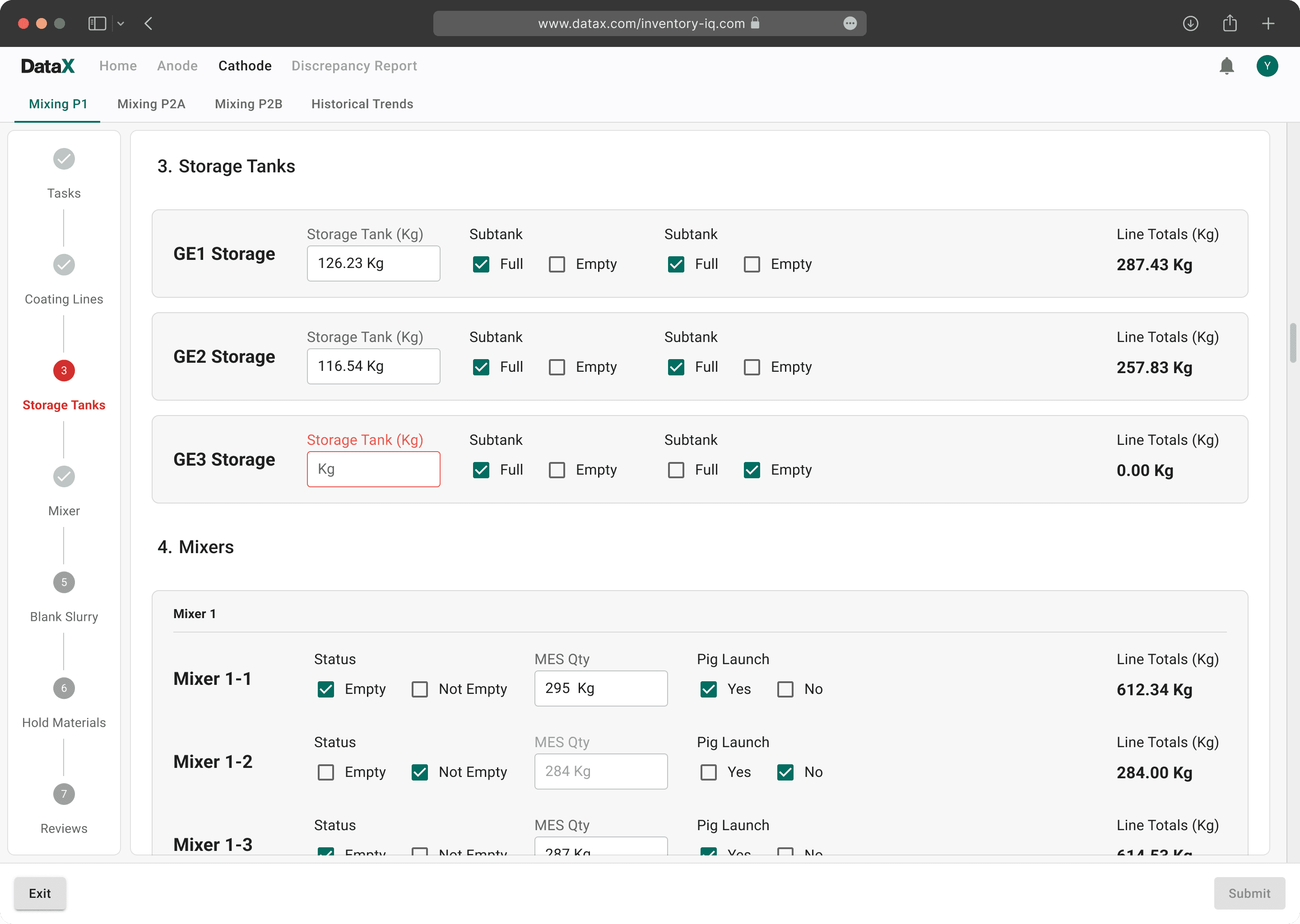
Real-Time Entry and Error Prevention
The left sidebar tracks progress across each counting step, helping operators maintain context throughout the workflow. Inline validation flags missing or incomplete inputs in real time before submission.
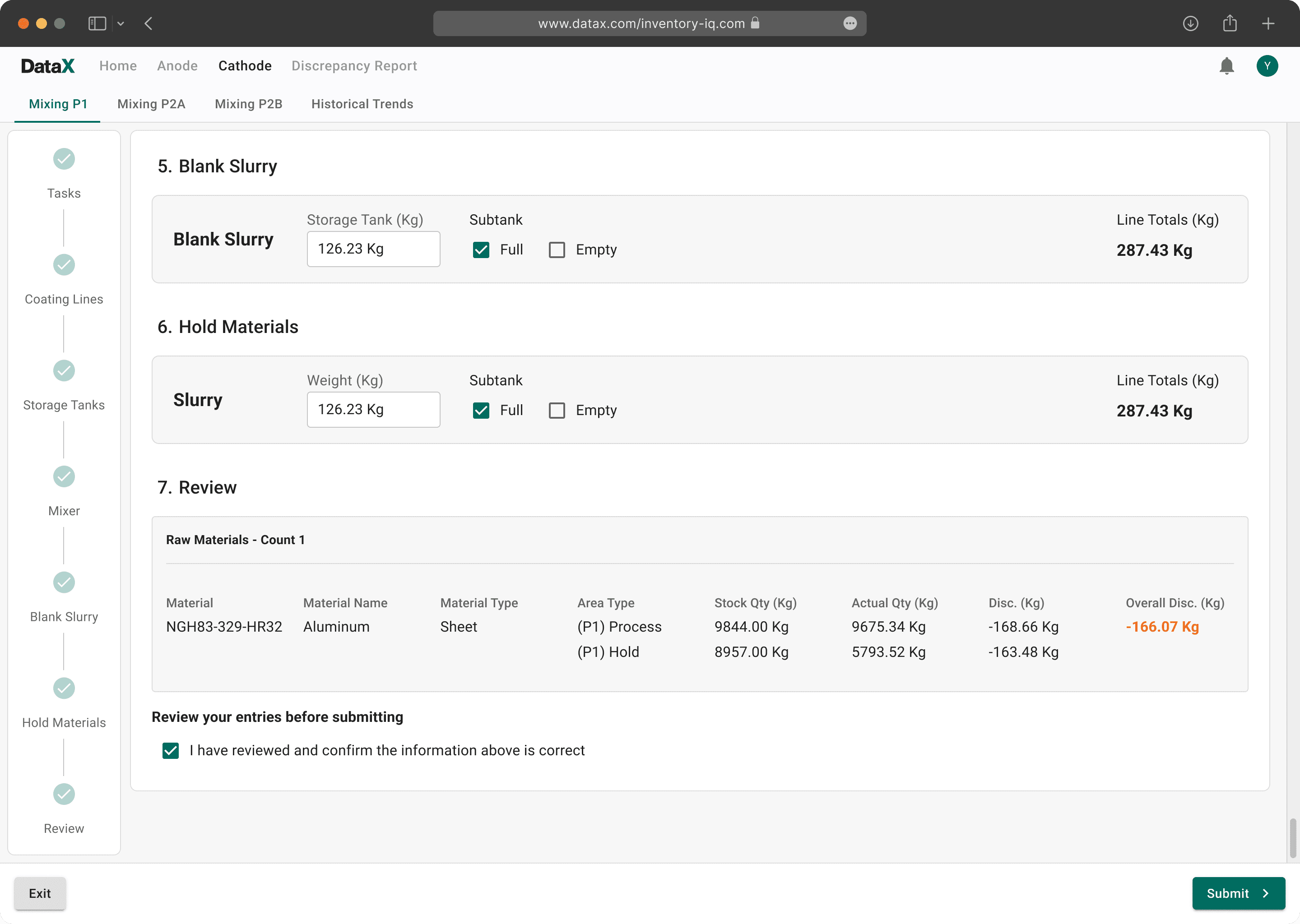
Review and Continuous Workflow
All counting steps are completed within a single continuous flow, allowing operators to review entries and validate discrepancies before submission.
Other Processes
Beyond the primary counting workflow, the platform also supported additional operational processes for compiled summaries, discrepancy reporting, and cross-line review across 6 manufacturing workflows.

Reflections
Clear requirements reduce rework
As new requirements were introduced mid-project, both the data structure and workflow logic had to be revised multiple times. Earlier alignment on scope and system requirements would have reduced redesign effort and engineering delays.
Visibility reduced operator errors
The most impactful improvement was not adding more functionality, but improving visibility throughout the workflow. Keeping all inputs and review states accessible in a single interface reduced missed entries and unnecessary backtracking.
Next Steps
Currently undergoing user testing with production operators prior to full deployment.
Validate usability and workflow efficiency improvements in real production environments
Track completion time, discrepancy rates, and input error frequency over time
Continue refining workflows based on operator and stakeholder feedback
Expand historical trend analysis to identify recurring discrepancy patterns across production lines
Back to Work