
Termibot
is a terminology reference tool designed for Panasonic employees across the US and Japan. The platform provides a centralized source of approved definitions in English, Japanese, and Spanish, helping reduce miscommunication caused by inconsistent terminology across teams and production systems.
My Role
Click to expand for more details
Sole Product Designer
As the sole product designer, I led the end to end design of TermiBot, an internal terminology reference platform used across Panasonic manufacturing teams in the US and Japan. I collaborated closely with engineering teams and stakeholders across both regions to define multilingual workflows, simplify terminology access, and design a scalable system for cross-team communication.
Skills
My work included user research, workflow mapping, wireframing, prototyping, visual design, usability testing, and designing cross-platform experiences that supported employees across different languages and technical backgrounds.
Cross Functional Teams Collaboration
I collaborated closely with software and data engineering teams to define workflow architecture, simplify operational processes, and design scalable interfaces for real-time discrepancy tracking and review.
Problem
Production terminology was inconsistent across teams and systems, creating confusion, miscommunication, and operational inefficiencies throughout the manufacturing environment.
The same production terms often carried different meanings depending on the department or system.
Japanese and American teams frequently interpreted terminology differently across workflows.
New workers lacked a centralized reference for approved terminology and relied heavily on coworkers for clarification.
The issue scaled across 2,000+ employees using disconnected production systems with inconsistent naming conventions.
Solution Vision
Design a centralized terminology system that standardized production language across departments and Japanese and American teams, giving workers a reliable source of truth to communicate and make operational decisions with confidence.
Discover
To better understand the process from user perspective, I have conducted:
Observations (Field Study)
Workers relied on nearby coworkers or Google Translate to resolve terminology confusion during daily operations.
Japanese and American teams frequently interpreted the same production terms differently across departments and systems.
Terminology questions occurred during active work on the factory floor, requiring a solution that was fast, mobile, and always accessible.
Interviews
“When PENA was launched, technical Japanese terms and expressions varied from person to person, often causing miscommunication between Japanese and American teams.”
“I joined PEC in November 2023 as an interpreter. Japanese-to-English terminology changed depending on who I asked, which frequently caused confusion and misunderstandings.”
Key Insights
Through discovery stage, I identified key insights.
No Centralized Source of Truth
Terminology varied across teams and departments, with no official reference employees could rely on when definitions conflicted.
Workers Relied on Coworkers for Clarification
Employees often resolved terminology confusion by asking nearby coworkers, interrupting workflows and creating inconsistent explanations.
Miscommunication Reduced Operational Efficiency
Unclear terminology caused delays, mistakes, and repeated clarification between Japanese and American teams during daily operations.
Terminology Changed Across Systems
The same production terms often carried different meanings depending on the department or system, reducing confidence in communication and decision-making.
Design Principles
The key insights and collaborating with cross-functional teams led to core design principles that guided design decisions throughout the project.
1
Design for Cross-Cultural Communication
Design for employees across different languages, cultures, and technical backgrounds. The experience needed to feel equally approachable for a new Japanese worker and a longtime English-speaking operator.
2
Reduce Time to Information
Workers often needed answers quickly during active conversations on the production floor. The design prioritized getting users from search to definition in as few steps as possible.
3
Lower the Learning Curve
With no formal onboarding or training planned, the experience needed to be intuitive for users with varying levels of technical familiarity and English fluency.
Design Process
Information Architecture
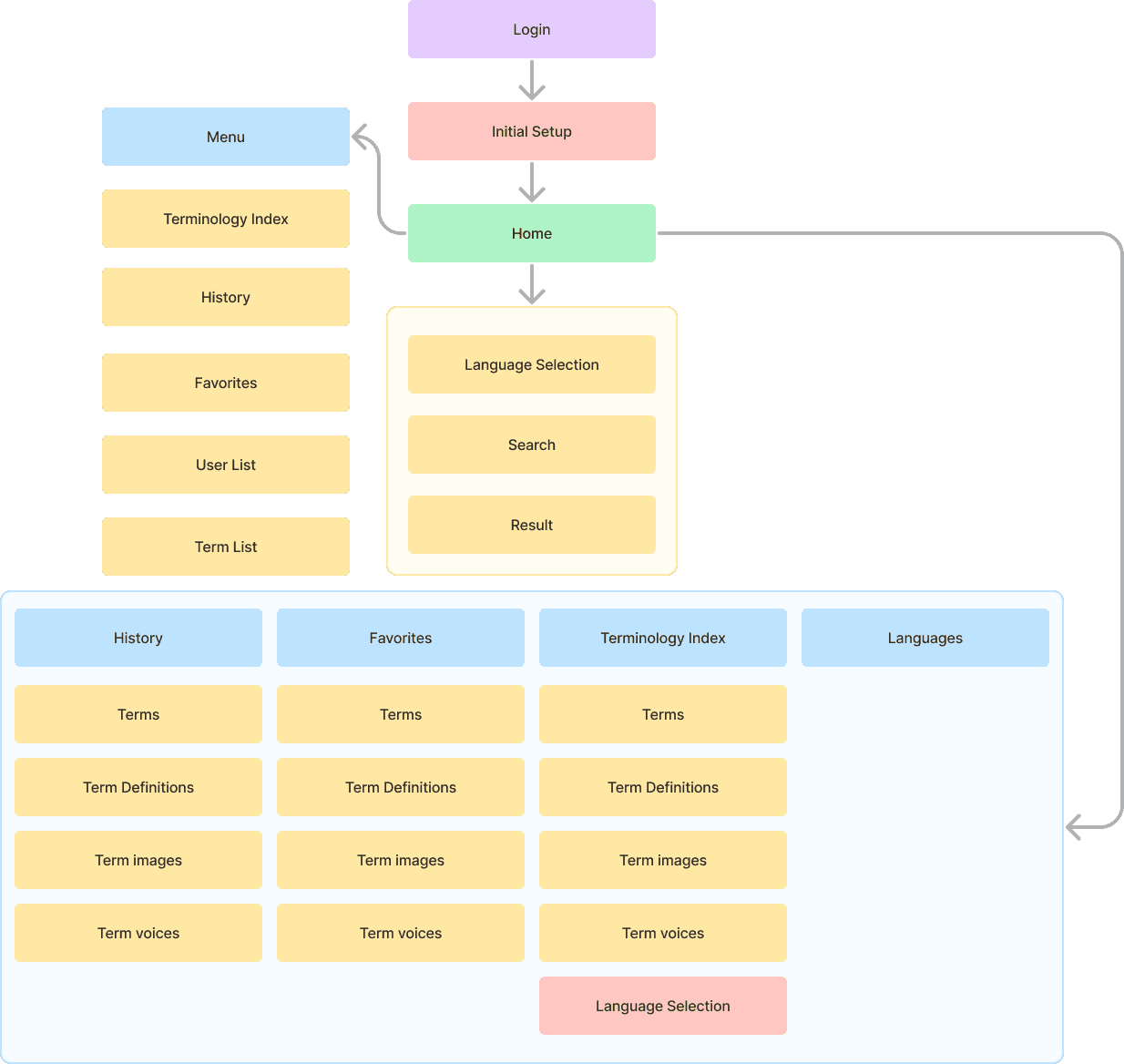
Organized around two core workflows: terminology lookup and term management. Separating employee and administrative workflows kept the experience simple for everyday users while allowing support and admin roles to manage content governance efficiently.
Userflows
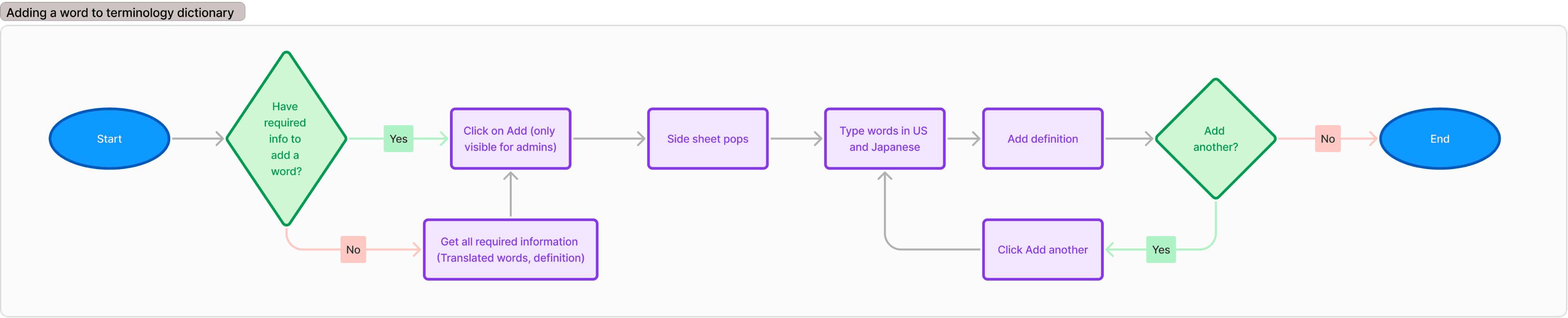
Mapped the core search and term management workflows to identify key decision points and maintain a consistent experience across all six user roles. Reviewed with engineers and stakeholders to validate requirements before moving into high-fidelity design.
Draggable
Wireframes
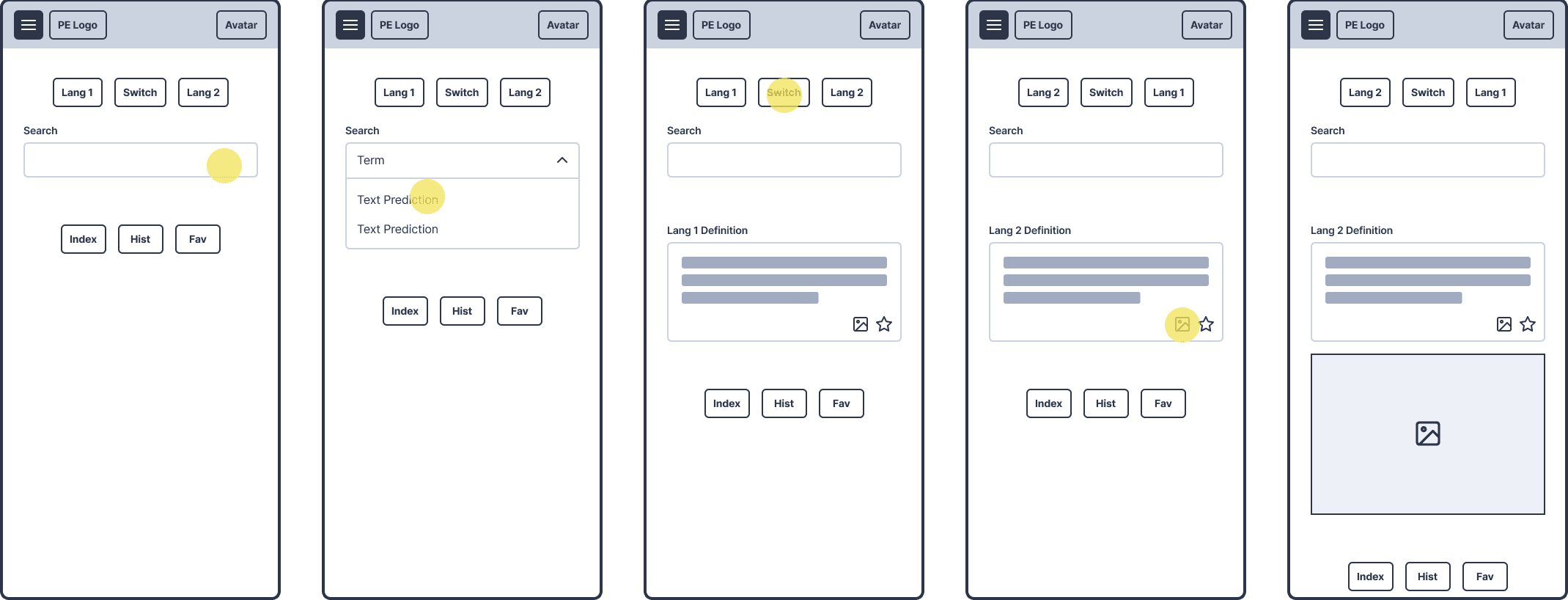
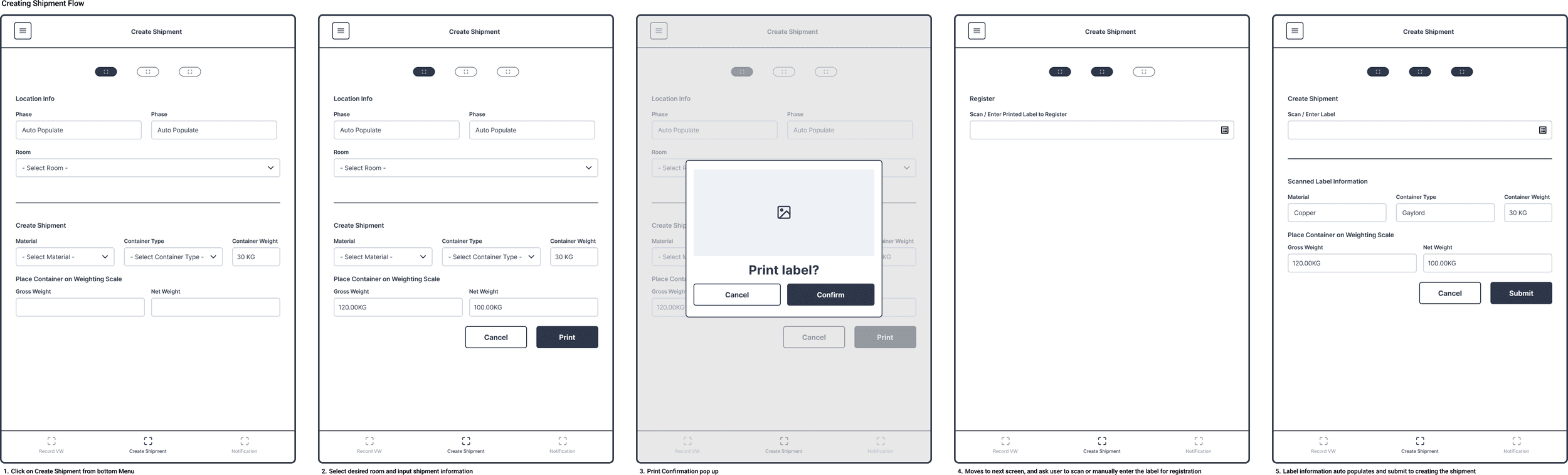
Built to validate the search experience and results structure before moving into high-fidelity design. Early alignment with Japan-side stakeholders ensured the experience worked consistently across both English and Japanese language contexts.
Draggable
Design Interations
Improved Multilingual Search and Result Comparison
Updated the search and results layout to better separate source and translated terminology, improving readability and making cross-language comparison faster during production workflows.
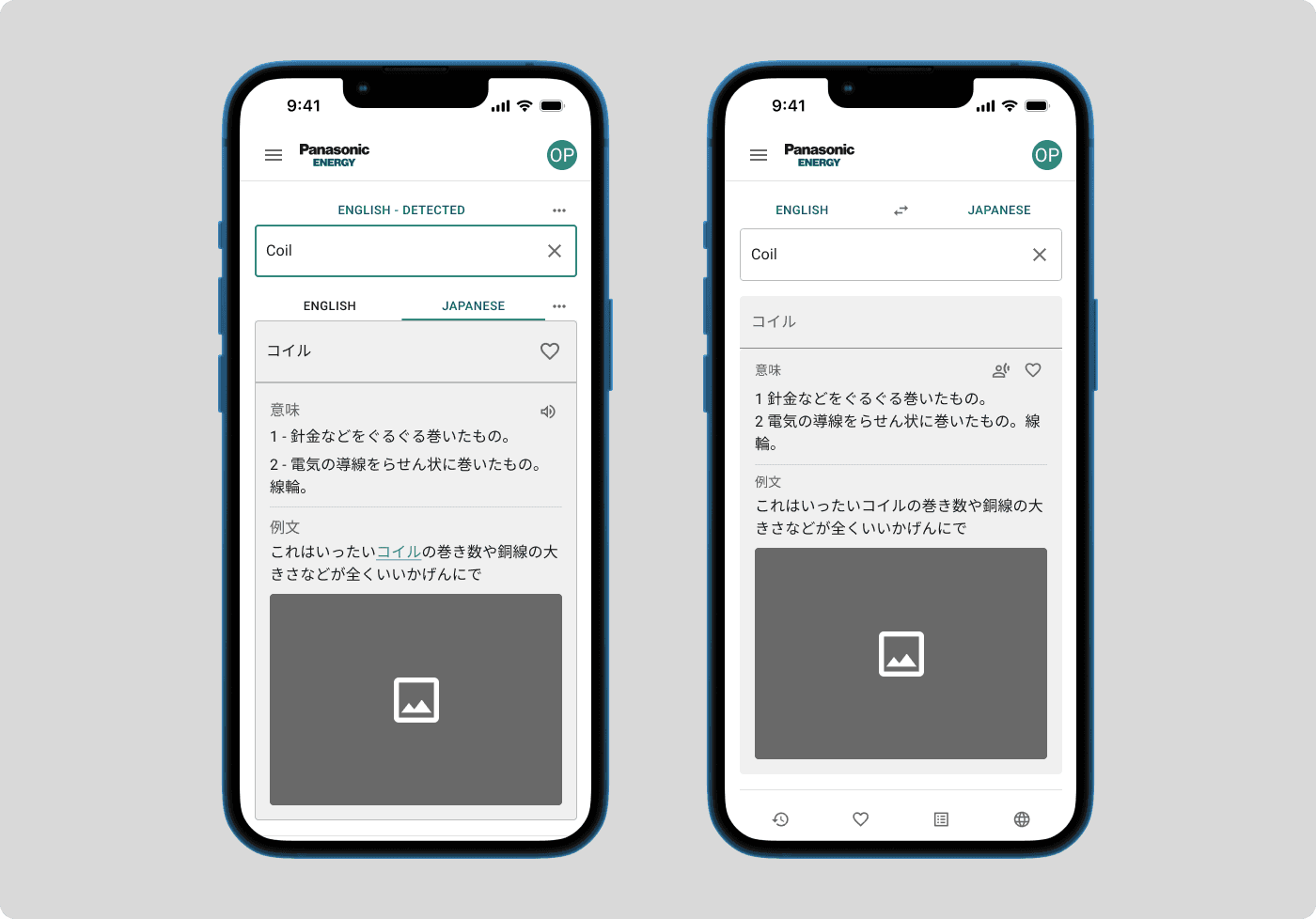
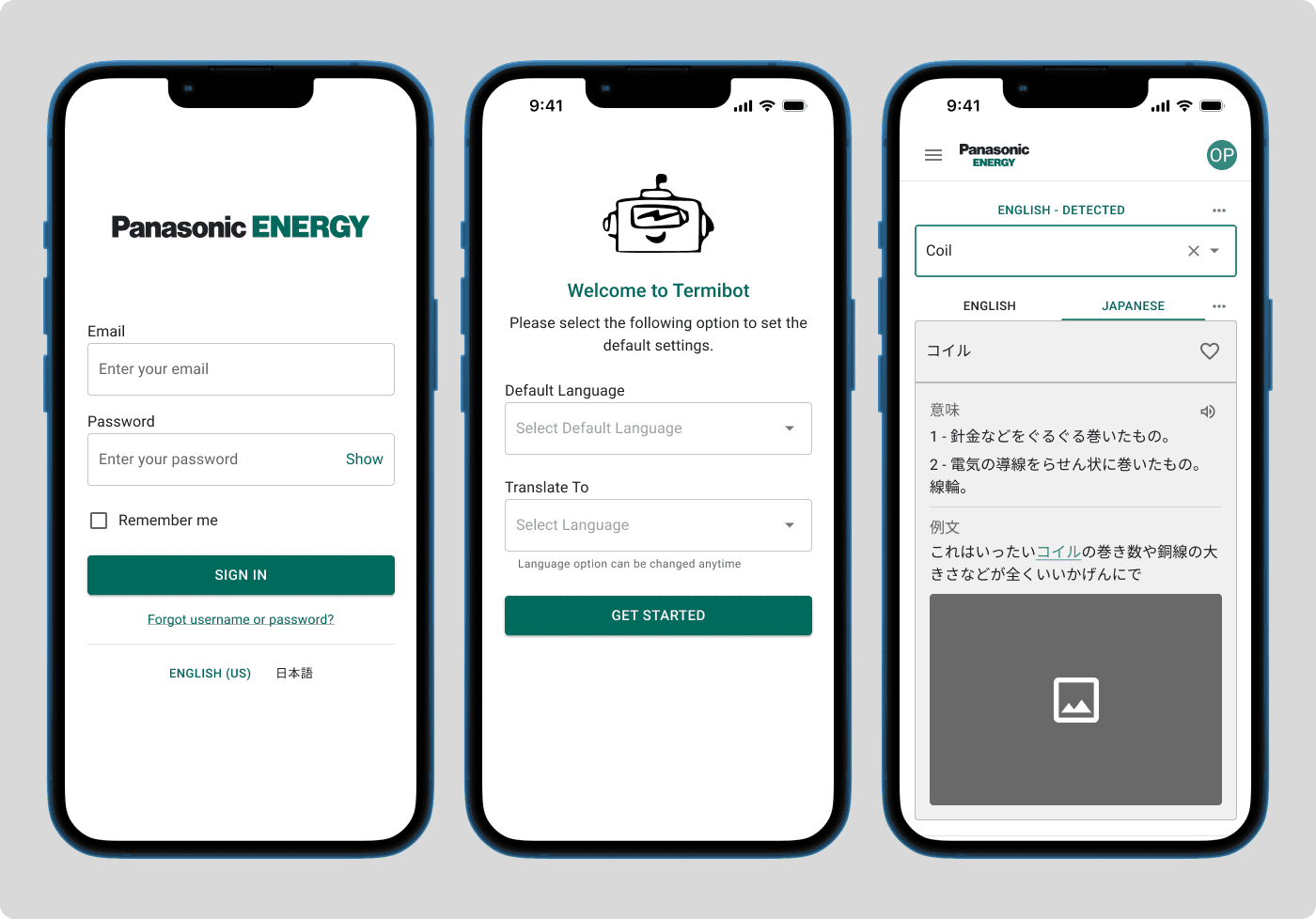
Simplified Language Selection and Term Lookup
Updated the onboarding and search experience to better support multilingual workflows. Default language preferences and consistent search behavior reduced setup friction and improved terminology access across English and Japanese contexts.
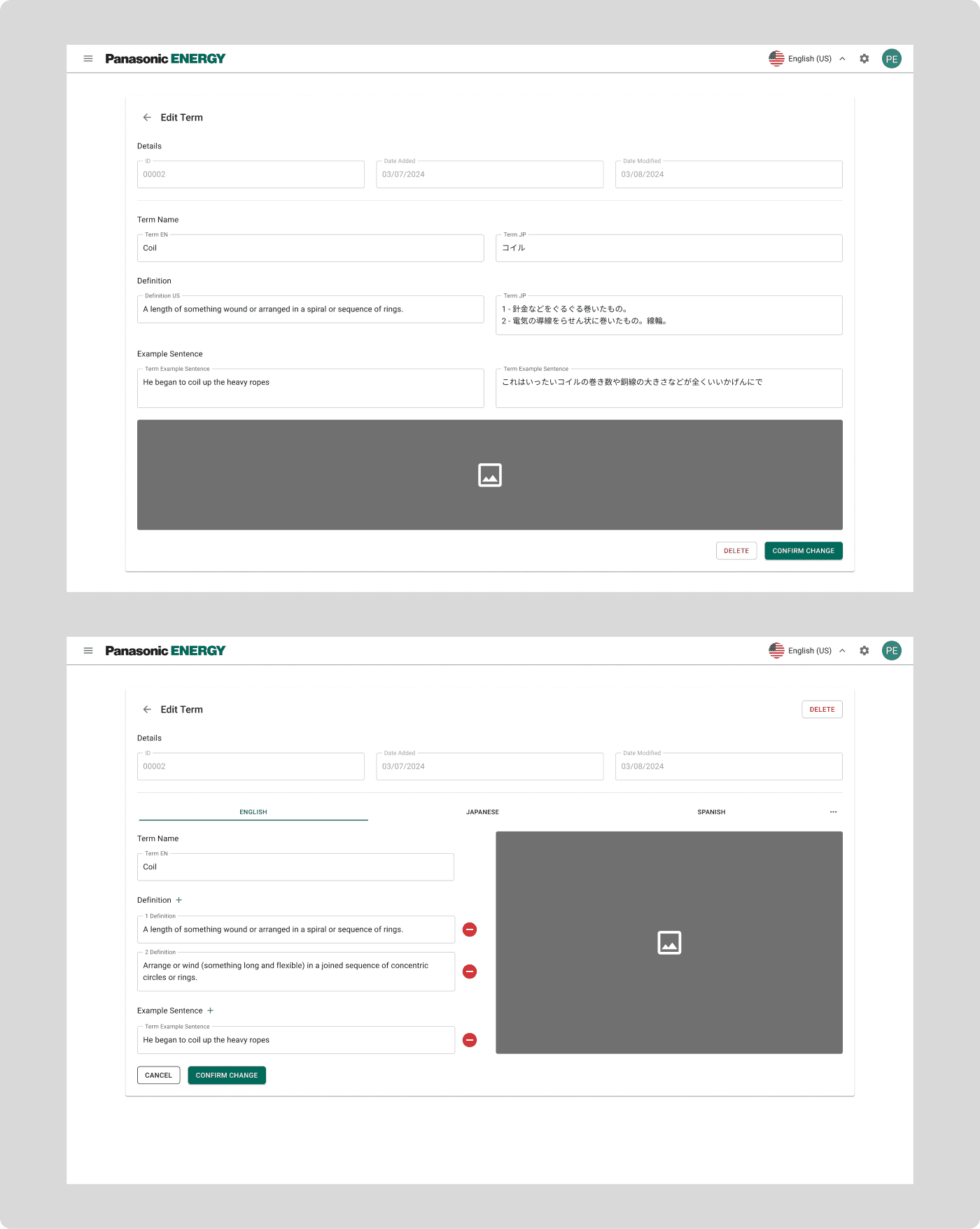
Created a Scalable Multilingual Editing Flow
Updated the editing experience to support multiple language inputs within a consistent structure. The revised layout improved readability, reduced content overlap, and made the workflow easier to scale as new languages were added.
Final Solutions
Easy Lookup Across Languages
Users can search for terminology in either English or Japanese, and Termibot automatically returns approved definitions with translated examples and supporting context. Automatic language detection removes the need for manual language switching during daily production workflows.
Quick Access to Frequently Used Terms
Frequently referenced terminology can be saved for faster lookup during daily production work, reducing repeated searches and improving workflow efficiency.
Centralized Terminology Management
Admins and support teams can manage terminology, definitions, and multilingual content from a single interface, improving consistency, governance, and long-term maintainability across the platform.
Reflections
Designing for Clarity Over Aesthetics
Designing for users across different languages and technical backgrounds meant every interaction needed to work without explanation. Simpler workflows reduced opportunities for confusion and helped improve communication across teams.
Design With Scalability in Mind
The next phase of Termibot was deprioritized before launch. In hindsight, designing more intentionally for future expansion — additional languages, user roles, and content structures — would have made long-term scalability and handoff easier moving forward.
Back to Work